


Today, every business thrives on data, and running your website without data is like a shot in the dark. Therefore, tools like Google Search Console and Google Analytics act as the ray of precision for your decisions. These may sound similar but each serves a different purpose to grow your website. Let’s break it down in simple words how each of them works.
What is Google Search Console?
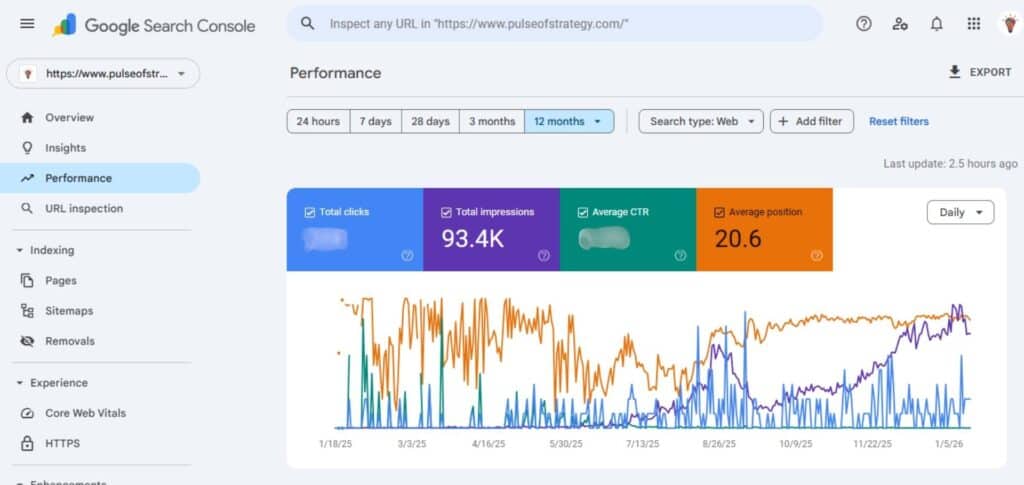
With the help of Google Search Console, you can get valuable insights into search analytics, crawl coverage, mobile usability, security issues, and Core Web Vitals. It essentially shows how Google views your website before users visit it. It is a free web service by Google that SEO professionals and website owners can use to track website performance in Google Search.
Features
- You can see keywords that bring traffic from Google
- Number of impressions
- Offers you click, CTR, and average ranking position tracking
- Shows pages indexed by Google
- Find out indexing errors and warnings
- Lets you inspect a specific URL
- Helps submit and manage XML sitemaps
- Reports mobile usability issues
- Allows you to keep track of page speed and Core Web Vitals data
- Alerts you about security issues or manual penalties
Steps to use Google Search Console
- Go to Google Search Console
- Add your website URL
- Your website needs to be verified
- Submit your sitemap
- The performance report for keywords and clicks can be viewed
- Review indexing reports to identify errors
- Use URL inspection to check or index pages
- Regularly fix the reported issues
- And focus on weekly monitoring reports for SEO improvement
What is Google Analytics?
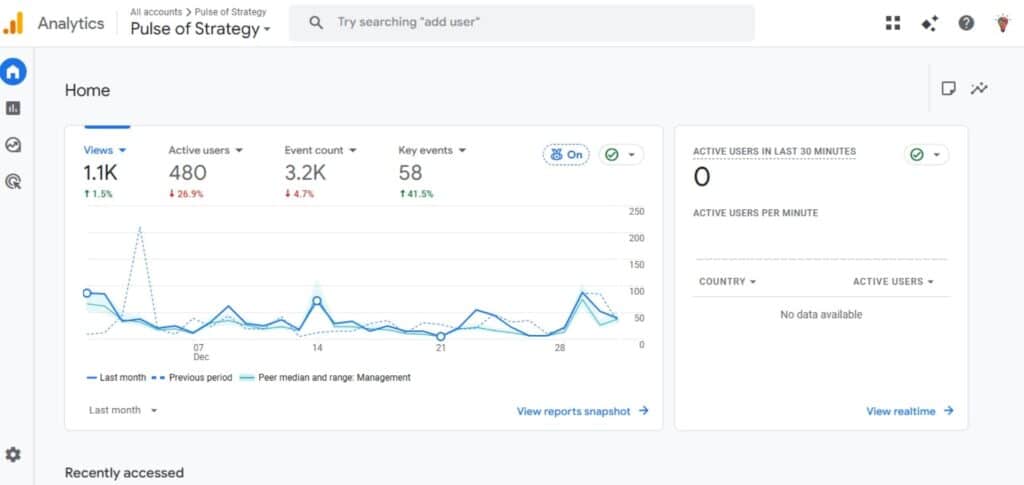
The base of Google Analytics came from two pieces of software that are Urchin on Demand and Measure Map. It helps to track and analyze website traffic and user behavior. It basically shows what users do after they visit your website. Insights about visitor demographics, geographic locations, and device usage support targeted content and marketing strategies.
Features
- Shows the number of people who visit your website
- Shows visitor sources (Google, social, ads, direct)
- Will let you know about the most viewed and popular pages
- Tracks user behavior like time spent, pages visited
- You can track clicks, downloads, and form submissions
- Measures conversions and goals
- Device data from mobile, desktop, and tablet can be seen
- Provides location and demographic insights
- Allows you to track traffic sources and campaigns
- You can easily analyze website performance and user engagement
Steps to use Google Analytics
- Go to Google Analytics
- Create an account and a property
- Fill in your website details
- Now a tracking code needs to be installed on your site
- Verify data collection
- Check the real-time report to see live visitors
- These reports will help you to analyze traffic and behavior
- Set up events and conversions
- Monitor data regularly to improve performance
How to make Google Search Console & Google Analytics Work Together?

Though both of them are services by Google and may sound different and even like competitors, they can be well aligned with each other. And give you the best possible outcomes in growing your website. The data from Google Search Console is used as a source for Google Analytics.
There are some basics before linking the tools together. Your website needs to be verified in the search console and admin access in both GA4 and GSC is needed. The same domain or subdomain (web property) should exist in both and a web stream for GA4 should be set up. And only one GSC property can connect to a single GA4 data stream.
Double-check all of the above basic requirements, because without them, the connection will fail.
Steps to link
- Make sure to verify your GSC property is fully set up and confirmed
- After navigating through the GA4 admin panel: Go to admin → Product links → Search console links
- Click on the Link button
- Choose the appropriate GSC property from the dropdown
- Confirm your selection
After this linking process is completed, your GSC data will be imported by GA4. This may take up 24-48 hours to appear in your reports, it is simple but requires patience while data syncs between platforms.
Difference between GSC & GA
| Feature | Google Search Console | Google Analytics |
|---|---|---|
| Purpose | Shows how your website performs in Google Search | Shows how users or web visitors act upon your website |
| Focus Area | SEO and search visibility | Traffic and user behavior |
| Data type | Search queries, impressions, clicks | Page views, sessions, events |
| Keyword tracking | Yes, but only organic searches | No, as keyword data is limited |
| Shows user actions | No | Yes |
| Shows traffic sources | Only for Google Search | It deals with all sources including, search, social, ads, direct |
| Conversion tracking | No | Yes |
| Crawl errors and indexing reports | Yes | No |
| Best used for | SEO insights and optimization | Marketing and performance analysis |
Conclusion
We can see that the combination of Google Search Console and Google Analytics gives a comprehensive view of SEO performance by showing your search visibility and actual user behavior. You need to complete some basic steps before the linking process as mentioned above. You will get insights and reports into rankings, traffic, conversions, and more. The platforms come with some limitations such as latency and sampling. Both platforms can help you make better decisions and improve results when used side by side.
Related: What is Search Engine Marketing Intelligence?
Related: How to Get Into Digital Marketing: A Step-by-Step Career Guide
FAQs
Are Google Search Console and Google Analytics the same?
No. GSC shows how Google sees your website and how it is engaged by users in the search results. Whereas, Google Analytics gives you information about how users behave on your website and what actions they take.
What if I don’t connect Google Analytics with Search Console?
Nothing much happens, you will only deal with data separately instead of combined insights in one place.
Can these tools be used for non-website projects?
You can use Google Analytics for apps and digital platforms but Google Search Console only works for websites appearing in Google Search.