


You are now in the high-stakes game of PPC, your opponent’s brand, where online competitors fight in real-time auctions over each search query. It is not merely a bold tactic; it is a time-tested strategy for bidding on brands that smart marketers use to drive high-intent traffic. Competitor keywords can lead to a significantly increased visibility and a surge in conversions. So, can you legally bid on competitor keywords in Google Ads without using their name in your copy? And what do you protect your budget with, click fraud prevention? This blog will sort out many of your doubts.
What is PPC Bidding?
It is a process in pay-per-click advertising where advertisers compete in real-time auctions on platforms like Google Ads. It is done to gain the top position in ad placement for a particular keyword or audience. Whenever a user searches or browses valuable content, an auction considers your maximum bid alongside ad quality, expected click-through rate, relevance, and landing page experience. This is to determine ad rank and visibility.
PPC Bidding On Your Competitor’s Brand
Pay-per-click advertisement is the driving force behind properties such as Google Ads, where you bid on keywords to be shown in results. This is further brought by bidding on competitors’ keywords on Google Ads. In this, you focus on searches of your competitor’s brand according to your selling product. This is a brand bidding model that reaches users who are already in the buying mode, underscoring the significance of digital marketing intelligence for ensuring effective ad placements and conversions.
For example, suppose a customer is typing the words, best buy laptops. You don’t let Best Buy dominate, and your ad appears as a pop-up with the deal of Better Deals on Laptops, with free shipping. You are not throwing them away; you are placing your alternative. However, it is not free, and costs are likely to be higher per click (CPC) because the rivals are ready to protect their territory.
How To Target Competitor Keywords?

These are the steps for targeting competitor keywords effectively.
- Do good research on keywords using Google Keyword Planner or tools.
- Try to aim for 50-100 terms with high search volume and low competition outside the brand.
- Build a dedicated Google Ads campaign.
- Craft compelling ads by highlighting your unique value with faster shipping and better warranty.
- Start with automated bidding like Maximise Conversions.
- Competitor CPCs run 20-50% higher, so allocate 10-20% of your budget here initially.
- Block irrelevant traffic to avoid useless clicks.
Best Practices for Brand Bidding Strategy
The first step to a winning brand bidding strategy when bidding on rival keywords on Google Ads is a dedicated campaign per competitor. It is done with the use of exact/phrase match keywords. Write policy-compliant ad copy with USPs of Google Ads. Also, instead of aggressive automation, use Manual CPC or Target Impression Share bidding; do not spend more than 10-20% of the budget at first because CPCs cost 20-50% more.
Increase Quality Scores by aligning ads and landing pages to search intent and overlay. Track weekly, through search term reports – remove low-ROAS keywords with negatives, A/B test creatives, and more. Additionally, target the good market and geo-target your strong markets, and allow click fraud prevention to safeguard spend.
Safe Yourself From Fraud Clicks
These are some simple steps to protect yourself from fraudulent clicks.
- Google’s Built-in Tools: Enable invalid click detection; it auto-refunds suspicious activity.
- Third-Party Software: Use Fraud Blocker or TrafficGuard for real-time IP blocking and pattern detection.
- Manual Vigilance: Monitor search term reports weekly. Add abusers as negatives.
- Proxy Detection: Bid only on desktop/mobile from trusted regions
Pros and Cons
| Pros | Cons |
|---|---|
| High-intent traffic | Higher CPCs (20-50% more) |
| Boosts visibility, steals market share | Click fraud risk (10-20% waste) |
| Up to 7x ROI via brand bidding | Trademark limits on ad copy |
| Smart alternative positioning | Brand backlash potential |
| Easy to scale with testing | Needs constant monitoring |
What is Google Ads Trademark Policy?
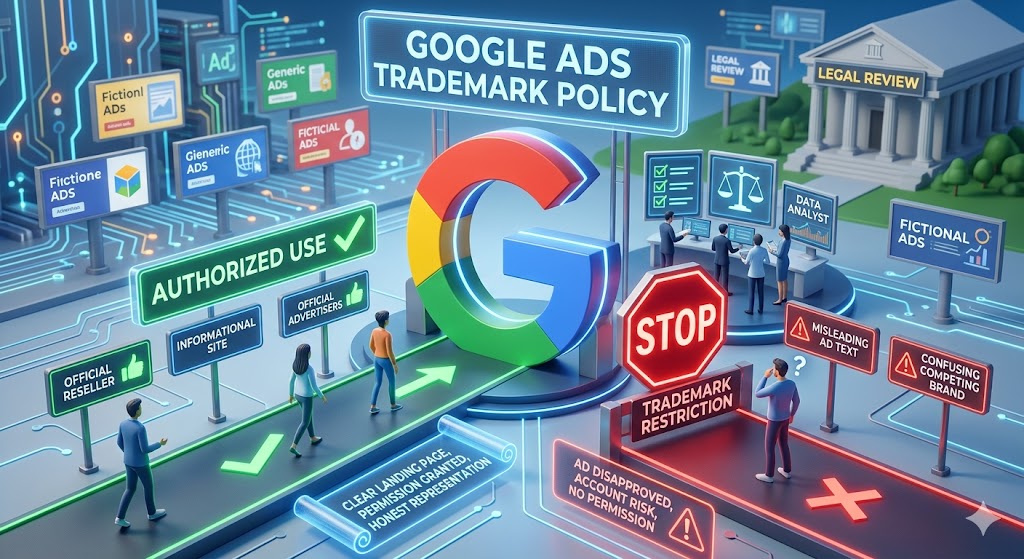
The policy on trademarks in Google Ads helps the brand owners to guard against potential restrictions, making it essential to leverage competitor analysis software to navigate these challenges. It is done by allowing the brand makers to lodge complaints against a particular advertiser who is using the mark in the advertisement text. Though trademarked words may be applied as a general keyword, they cannot be used in an advert copy. Since it is limited, it will mislead the consumer or be used by a rival.
Some key aspects:
- Action Required
- Restriction
- Allowed Uses
- Exceptions
Challenges You May Face In Bidding on Competitor Keywords
These are some of the challenges that you may face.
- Bidding Wars: Competitors strike back at your brand, and CPCs spike for all parties.
- Low Quality Scores: Advertisements do not use the name of the competitor and, therefore, end up being more expensive and do not have a good position.
- Trademark Restrictions: Google prohibits competitor names in advertisement information, thus hindering appeal and delivery complications.
- Risk of Click Fraud: Competitors or bots click to waste your budget; it requires excellent prevention mechanisms.
- Poor CTR and Conversions: Searchers desire the unique brand, thus your advertisements go unnoticed or get short-lived.
- Low Relevance and Intent Mismatch: This low relevancy coupled with low intent costs are combined to inflate costs.
- Irrelevant Traffic: Many clicks are for support, locations, or sales to the competitors, not purchases.
About Strategies
Brand Bidding Strategy: A brand bidding strategy is a paid search (PPC) approach. In which an organization bids on its brand name or trademark on search engines. It is mainly used to secure the brand search traffic against competing and affiliate vendors. It is done to regulate the marketing message and increase visibility, in spite of the fact that already there are organic, top-ranking results, even though these may not be as high as they could be.
Competitor PPC Strategy: Competitor PPC strategy is based on research, analysis and exploiting paid search strategies of competitors. To enhance your own performance and acquire market share. It finds the loopholes in their strategy and the possibilities to reach their audience.
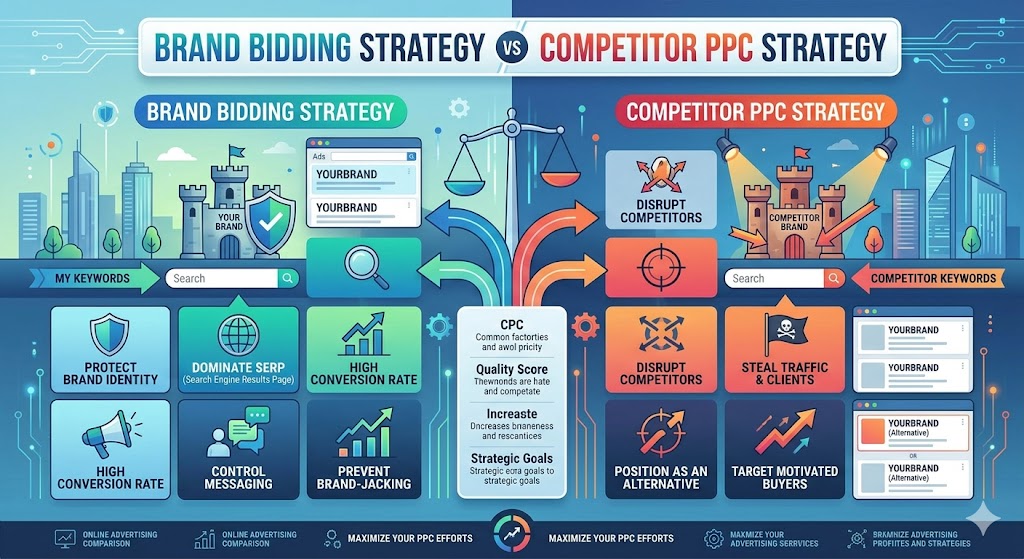
The table will show you the difference between the strategies.
| Aspect | Brand Bidding Strategy | Competitor PPC Strategy |
|---|---|---|
| Focus | Bid on your own brand terms | Target rival brand keywords |
| Goal | Defend market share, high ROI | Steal high-intent traffic |
| Risk | Minimal | Trademark issues, click fraud |
| Best Use | Core defense | Test small, scale winners |
| Compliance | No restrictions | Follow Google Ads policy |
Conclusion
Specifically, bidding on your own brand is smart and aggressive. It is a way to steal the customer who is searching for competitors that involves using the brand bidding strategy and targeting competitor keywords. It increases your visibility on Google Ads auctions, but you have to be careful with increased prices. Test, monitor ROI, add negatives to be efficient, and increase what works. When executed correctly, such a competitor PPC strategy robs market share and increases sales. But be sure that your profits can take care of the incremental expenditure before leaping!
FAQs
Can I use competitor brand keywords in Google Ads?
Yes, you can use competitor brand keywords.
Is competitor bidding profitable in United States?
Yes, it is profitable in United States.
Related: How to Get Into Digital Marketing: A Step-by-Step Career Guide