
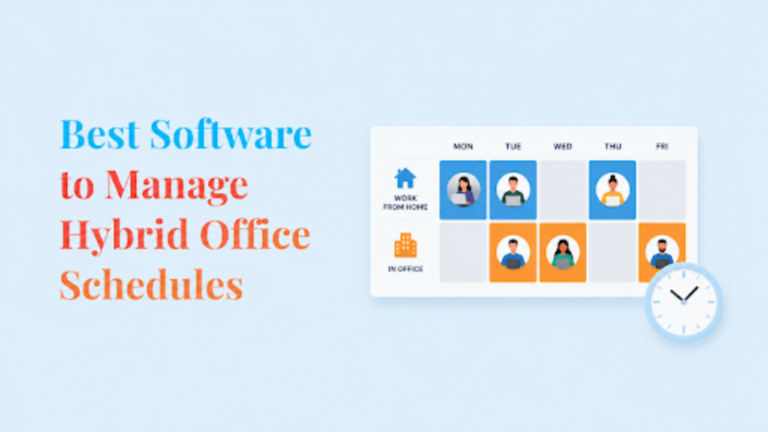

Hybrid work is no longer the experiment it was a few years ago. Most companies have already figured out how to support employees working from home and the office, but the bigger challenge today is team coordination.
Who’s coming in this week? Is it worth commuting tomorrow? Is there even a desk available? These may seem like small questions, but they can have a big impact on employee experience and office usage.
Luckily, the best hybrid workplace solutions help employees coordinate office days, find coworkers, book desks and meeting rooms, manage visitors, and understand workplace attendance patterns. In other words, they help answer the “who, where, and when” of hybrid work.
And after reviewing dozens of workplace management tools, these are the platforms I’d recommend in 2026.
How the hybrid office tools were ranked
For this guide, I looked at how each tool actually helps teams coordinate hybrid office schedules, how easy it is for employees to use, and whether it supports the basics like desk booking, room booking, coworker visibility, mobile access, analytics, and integrations. I also compared pricing models, since some platforms charge per employee while others charge per desk, room, or resource.
To keep the review balanced, I also checked user feedback from sites like G2, Capterra, and TrustRadius.
| Software | Best for | Starting price |
|---|---|---|
| Archie | Overall hybrid workplace management | From $159/month |
| deskbird | Employee adoption | From $3.75/user/month |
| Robin | Enterprise analytics | Custom |
| Officely | Slack-first teams | From $2.50/user/month |
| Entry2Exit | Security-conscious workplaces | Custom |
| YAROOMS | Microsoft-first organizations | From $99/month |
1. Archie: Best hybrid office scheduling software
Source: Archie
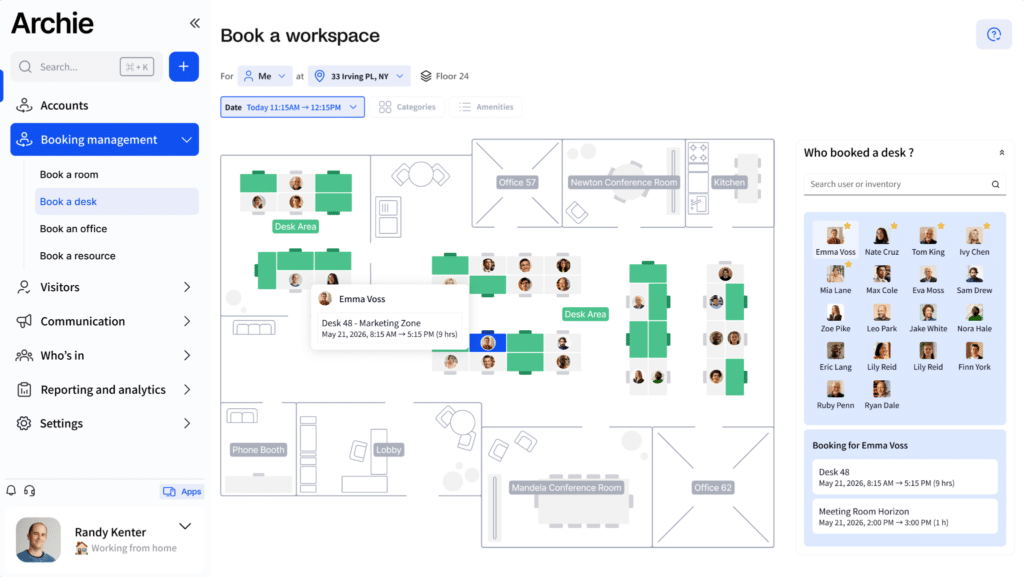
If I could only recommend one platform for managing hybrid office schedules, Archie would be my pick. What I like most about Archie is that it solves the biggest hybrid work problem: coordination.
In many offices, the real issue is not only finding an empty desk. It’s knowing whether the right people will be there, where they’ll sit, and how easy it is to plan the day around them. Archie handles that well by combining team schedules, coworker visibility, desk and room booking, and interactive office maps in one place.
From an employee’s point of view, the experience feels straightforward. They can check who’s coming in, find a teammate, choose a desk nearby, book a meeting room, and check in from their phone or through tools like Slack, Teams, Outlook, or Google Workspace. That matters because hybrid tools only work if people keep using them after the first week.
For workplace teams, Archie gives enough control behind the scenes to manage booking rules, approvals, visitor access, check-ins, no-shows, and workplace analytics without making the employee experience feel heavy.
The pricing model is another practical advantage. Archie charges by resource instead of by employee, which can make more sense for hybrid offices where many employees share a smaller number of desks.
Key features
- Hybrid work schedules and attendance visibility
- Employee lookup and coworker finder
- Desk and meeting room booking
- Interactive office maps
- Neighborhood seating
- QR code check-ins
- Occupancy analytics
- Microsoft Teams, Slack, Outlook, and Google Workspace integrations
- Multi-location & multi-tenant booking
Pricing
Archie starts at $159/month. Pricing is based on desks, rooms, and other bookable resources rather than employee count.
Best for
Mid-sized and larger organizations that want one platform to manage hybrid schedules, workplace coordination, desk booking, meeting rooms, and occupancy analytics.
2. deskbird: Best for employee adoption
Source: deskbird
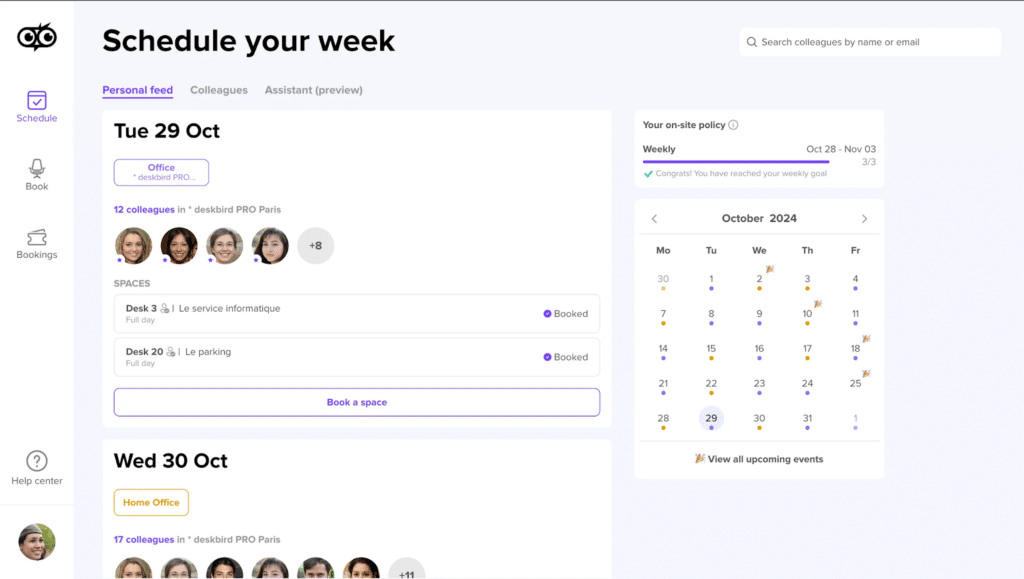
What I like most about deskbird is the social side of the product. Employees can see who plans to come in, coordinate office days with teammates, and use the office feed to understand what’s happening in the workplace. That matters because hybrid scheduling is not just about reserving space. It’s also about giving people a reason to come in.
deskbird also includes the expected workplace features, like interactive floor plans, desk booking, room booking, attendance tracking, mobile apps, and integrations with Microsoft Teams and Slack.
The main thing I’d watch is pricing. deskbird charges per user, so costs can grow as your headcount grows. For hybrid offices where many employees share fewer desks, a resource-based pricing model may be easier to control long term.
Key features
- Hybrid work scheduling
- Office attendance planning
- Social office feed
- Coworker visibility
- Desk and room booking
- Interactive floor plans
- Microsoft Teams and Slack integrations
Pricing
Starts at $3.75 per user/month.
Best for
Organizations focused on employee adoption, workplace culture, and making office attendance more collaborative.
3. Robin: Best for enterprise workplace analytics
Source: Capterra
What I like about Robin is that it does more than help employees book desks or share office schedules. Its real strength is workplace visibility.
If you manage several offices, Robin can help you understand which locations are busiest, which desks or rooms are underused, and which days employees come in most often. That kind of data is useful if you’re trying to improve space usage or see whether your hybrid policy is actually working.
The employee experience is polished too. Employees can book desks and meeting rooms, see who’s coming in, use interactive maps, get desk recommendations, and navigate larger offices with wayfinding tools.
Robin also includes employee surveys, workplace announcements, and a wide range of integrations, so it works well as a full workplace platform.
The main tradeoff is that Robin can feel heavy if your needs are simple. It is built for larger workplace teams, and the custom pricing can make it harder to compare costs upfront.
Key features
- Hybrid work schedules
- Desk and room booking
- Workplace analytics
- Interactive office maps
- Wayfinding
- Employee surveys
- Enterprise integrations
Pricing
Custom pricing.
Best for
Large organizations that need detailed workplace analytics, multiple locations, and enterprise-level workplace management.
4. Officely: Best for Slack-first companies
Source: Officely
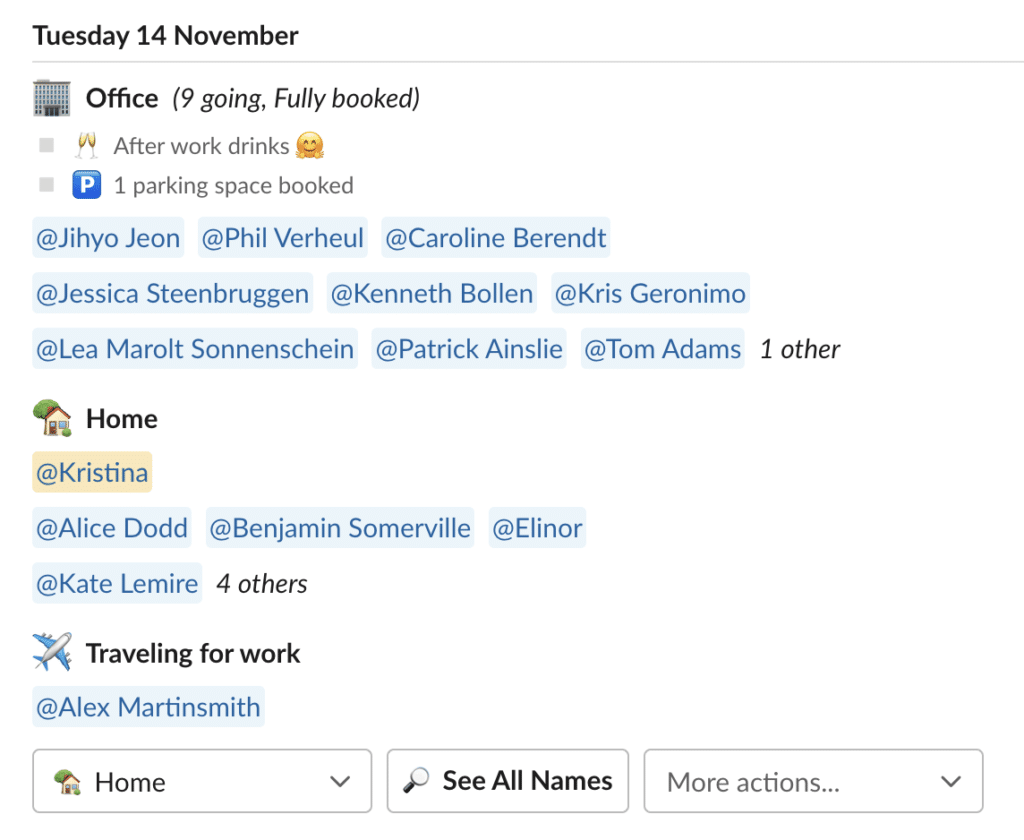
Adoption is often the hardest part of workplace software. If employees already spend most of their day in Slack, Teams, or their calendars, adding one more tool can feel like extra work. Officely removes a lot of that friction by meeting employees where they already are.
People can share office days, see who’s coming in, book desks, and coordinate schedules without leaving their usual workflow. For smaller teams, that can make rollout much easier because there is very little training needed.
The tradeoff is depth. Officely is intentionally lightweight, so it does not offer the same level of analytics, workplace planning, or advanced booking controls as larger platforms. Still, if your main goal is to help employees coordinate office days with as little friction as possible, Officely does that very well.
Key features
- Slack-native scheduling
- Desk booking
- Room booking
- Office attendance tracking
- Employee coordination
- Workplace visibility
Pricing
Starts at approximately $2.50 per user/month.
Best for
Organizations that want the easiest possible rollout and already rely heavily on Slack or Microsoft Teams.
5. Entry2Exit: Best for visitor and contractor management
Source: Entry2Exit
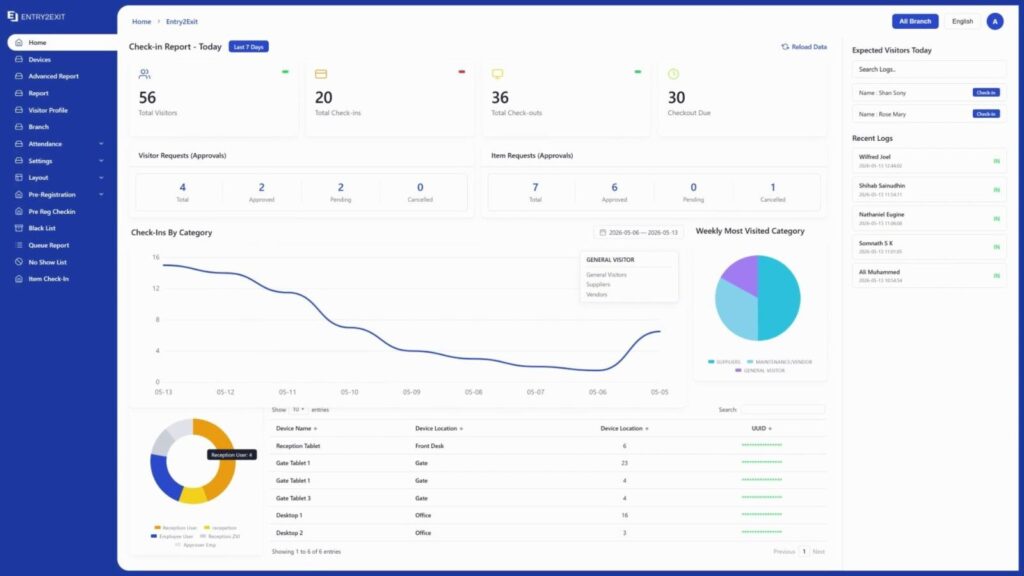
Most tools on this list answer the question of which employees are coming in. Entry2Exit answers the one the others mostly treat as an afterthought: who else is in the building. In a lot of hybrid offices, the daily flow isn’t only staff. It’s clients, vendors, contractors, and interview candidates, and someone still has to check them in, confirm who they are, and know when they’ve left.
What I like most about Entry2Exit is how seriously it takes that front-door experience. Instead of a basic sign-in sheet bolted onto a scheduling app, it’s a dedicated visitor management system. Hosts can pre-register guests and send them a QR code, directions, and instructions before they arrive. Visitors then check in by scanning that code, through a tablet kiosk at reception, over WhatsApp, or with face recognition for touchless entry. The host gets notified the moment their guest shows up.
For workplace and security teams, the useful part is visibility and compliance. You get a live view of everyone currently on site, audit-ready visitor logs, and a real-time evacuation list if the building ever needs to be cleared. It also integrates with physical access control, so a checked-in visitor can be granted entry through turnstiles or gates automatically.
It’s also one of the few tools here built with the Middle East in mind. It supports Emirates ID and UAE Pass natively, has a full Arabic interface, and can run on-premise, on your own cloud, or as a managed cloud service, which matters for organizations with strict data residency rules.
The tradeoff is scope. Entry2Exit is not a desk or room booking tool, so it won’t replace something like Archie or deskbird for day-to-day hybrid scheduling. Think of it as the layer that handles your visitors and contractors while a scheduling platform handles your employees. For offices that have both needs, the two work well side by side.
Key features
- Visitor, contractor, and vendor check-in
- Pre-registration with QR code invitations
- WhatsApp and tablet kiosk check-in
- National ID verification with Emirates ID and UAE Pass support
- Face recognition for touchless entry
- Branded visitor badges and passes
- Real-time on-site visibility and headcount
- Emergency evacuation list
- Access control and turnstile integration
- Multi-location dashboard with scoped admin access
Pricing
Custom pricing, with on-premise, private cloud, and managed cloud deployment options.
Best for
Organizations that need to manage visitors, contractors, and vendors alongside their hybrid workforce, especially multi-location or security-conscious workplaces and teams in the GCC, EU or Asia that need National ID support.
6. YAROOMS: Best for Microsoft-first organizations
Source: YAROOMS
If your company already uses Microsoft 365 tools, YAROOMS can fit nicely into those daily workflows.
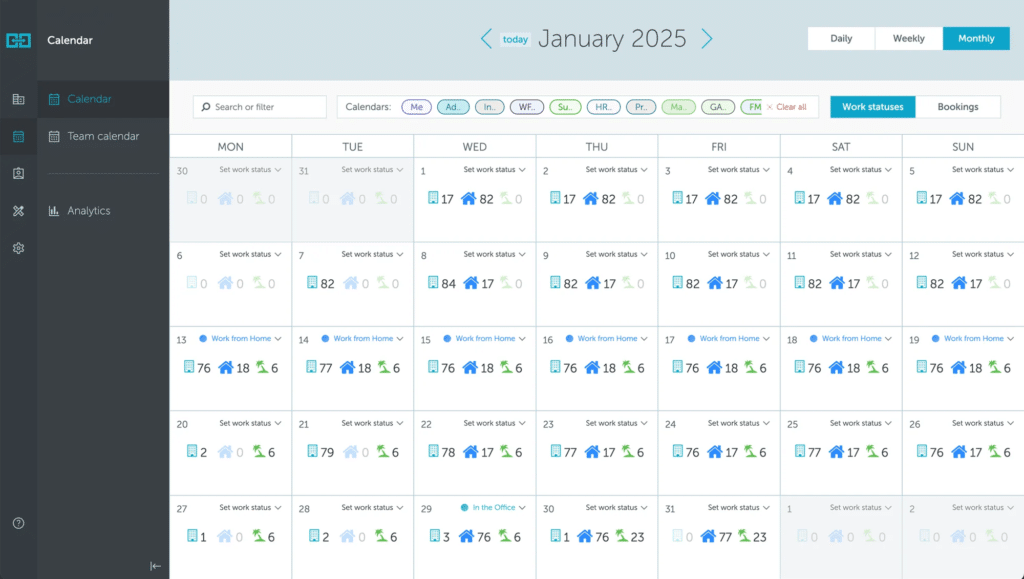
Employees can share schedules, coordinate office days, book desks, find meeting rooms, and see who is coming in. That makes it easier to decide whether it’s worth commuting and which day makes the most sense for in-person work.
One feature that stands out is Yarvis, YAROOMS’ AI workplace assistant. Instead of making employees click through menus, Yarvis lets them ask for what they need in plain language, directly inside Microsoft Teams or email. It can help find rooms, reserve desks, coordinate schedules, and answer workplace questions.
The main thing I’d watch is pricing. YAROOMS charges per user, so costs can grow as your company grows, especially if many employees only come in occasionally. I’d also test the mobile app carefully, since feedback on the mobile experience seems more mixed than with some mobile-first tools.
Key features
- Hybrid work scheduling
- Desk and room booking
- Workplace analytics
- Yarvis AI assistant
- Microsoft Teams integration
- Outlook integration
- Interactive floor plans
Pricing
Starts at $99/month for smaller teams, with larger plans priced by user count.
Best for
Organizations heavily invested in Microsoft 365 that want hybrid scheduling, workplace booking, and AI-assisted coordination in one platform.
Quick hybrid office picks
- Best for mid-sized and large hybrid offices: Archie
- Best for small hybrid teams: deskbird
- Best for enterprises: Robin
- Best for Slack-first teams: Officely
- Best for Microsoft-first organizations: YAROOMS
How to choose the right hybrid office scheduling software
The biggest mistake I see companies make is focusing entirely on features. What matters more is user behavior.
Ask yourself:
- Can employees easily share when they’ll be in the office?
- Can coworkers see each other’s schedules?
- Does the platform work well on mobile?
- Can people quickly find teammates?
- Does it support desk and room booking?
- Does it integrate with Teams, Slack, Outlook, or Google Calendar?
- Can workplace teams access useful attendance and occupancy data?
- Will employees actually use it after the initial rollout?
The best hybrid office scheduling software isn’t necessarily the platform with the most features. It’s the one that helps employees coordinate office days with the least amount of effort. Organizations looking to further streamline workplace operations often combine these platforms with workflow automation tools that reduce manual coordination and repetitive administrative tasks.
After reviewing the market, Archie remains my top recommendation because it balances employee experience, workplace coordination, desk booking, analytics, and reasonable pricing better than most alternatives.
That said, every organization is different. If you have a smaller team, deskbird is worth a close look. And if you’re a large enterprise focused on workplace analytics, Robin may be a better fit. If your company lives inside Slack, Officely can dramatically simplify adoption. And if you prefer Microsoft 365, YAROOMS is worth considering, too.
The right choice ultimately comes down to one question: Will employees actually use it?
FAQs
What is hybrid office scheduling software?
Hybrid office scheduling software helps employees coordinate when and where they work. Most platforms allow employees to share office schedules, see who plans to be in the office, book desks and meeting rooms, and find coworkers. Many also include workplace analytics, mobile apps, and integrations with tools like Microsoft Teams, Slack, Outlook, and Google Calendar.
Why do companies use hybrid office scheduling software?
Most companies adopt hybrid scheduling software because flexibility creates unpredictability. Without visibility, employees often show up on different days, offices become overcrowded or underused, and managers struggle to understand attendance patterns. Hybrid office scheduling tools help solve those problems by making office attendance visible and easier to coordinate.
Can employees see who is coming into the office?
Yes. Most hybrid workplace platforms include employee schedules, attendance visibility, coworker lookup, or office calendars that let employees see who plans to be in the office on a given day. This is often one of the most valuable features because it helps employees plan office days around collaboration.
Related: 10 Types of Email Marketing Campaigns That Worked for Me